



WELCOME TO THE HOME OF
The operating room staff coordination system

What this app is for
Within the app, managers create staff assignments and can quickly adjust coverage as needs change. Reliefs, breaks, shifts, overtime and any other staff workflow needs are all handled in one place, giving the OR front desk greater visibility and control.
Seamless communication across the OR. Administrators, service line managers, attendings, residents, nurses, scrub techs, perioperative teams, biomed staff and device reps are all connected and reachable with a tap instead of an overhead call. Everyone is on the same page, always.
The app combines the surgical case schedule with each service’s staff schedule into a single OR day schedule, where managers handle assignments, breaks, reliefs and every other staffing task.
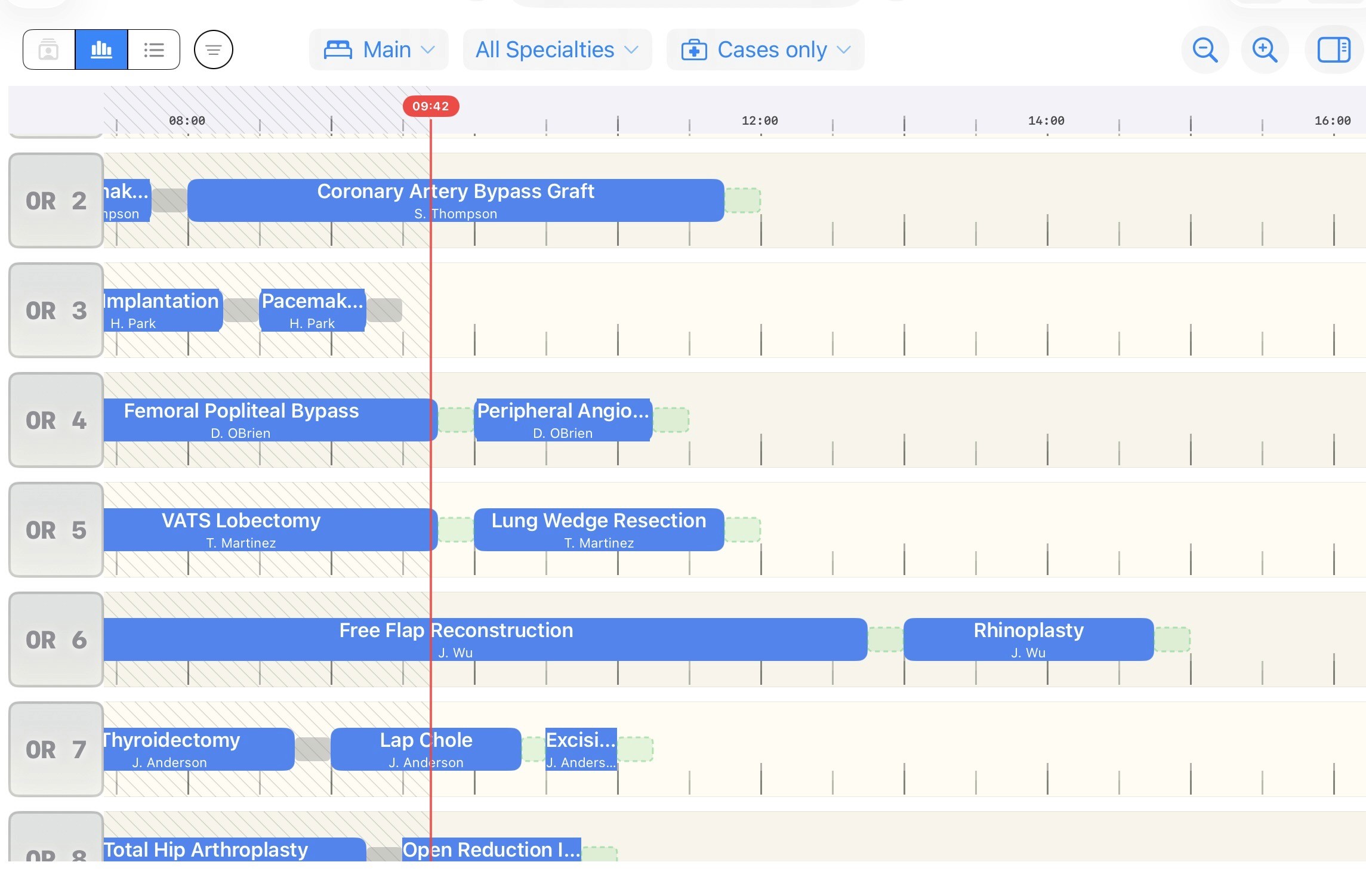
Surgical case schedule
Synced with the EMR or managed locally
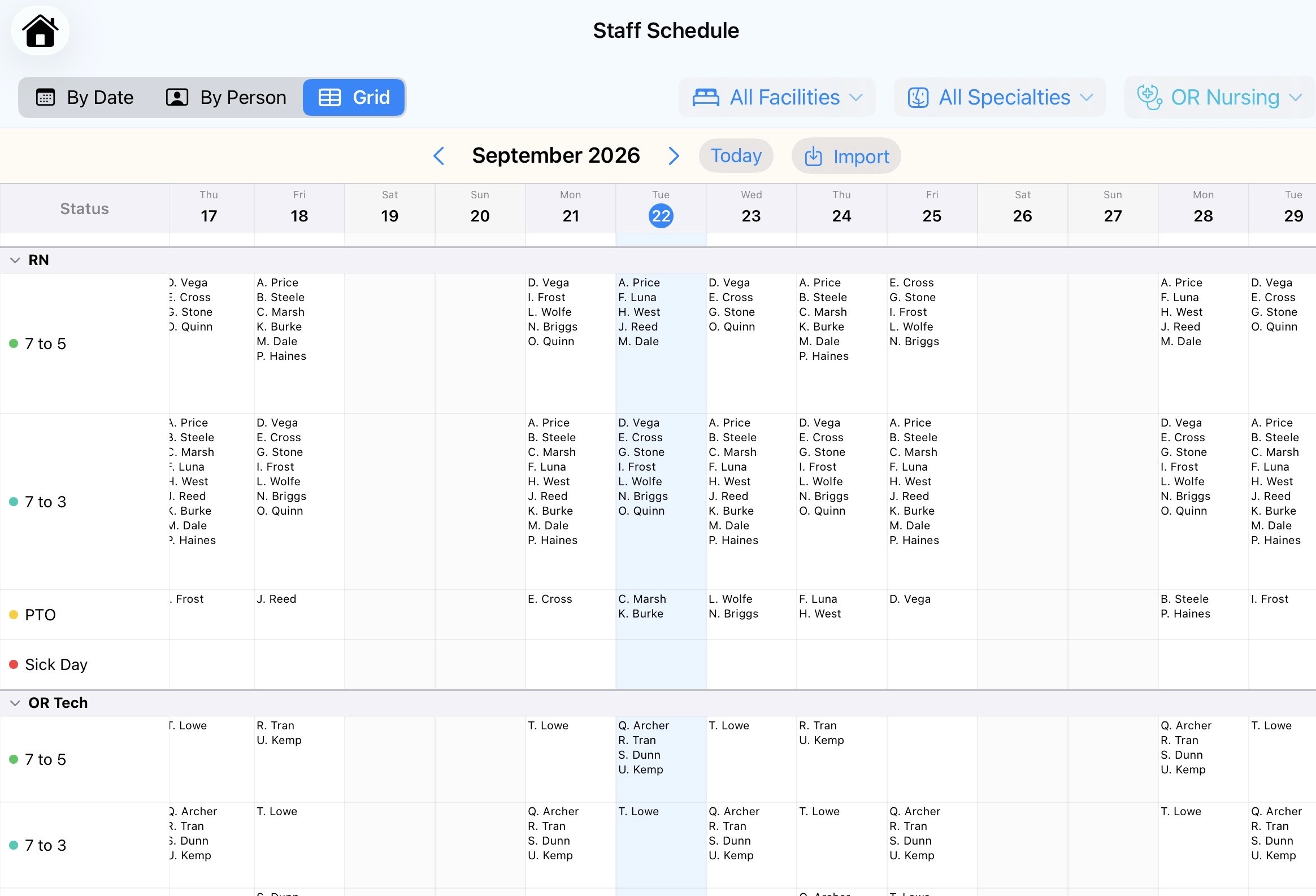
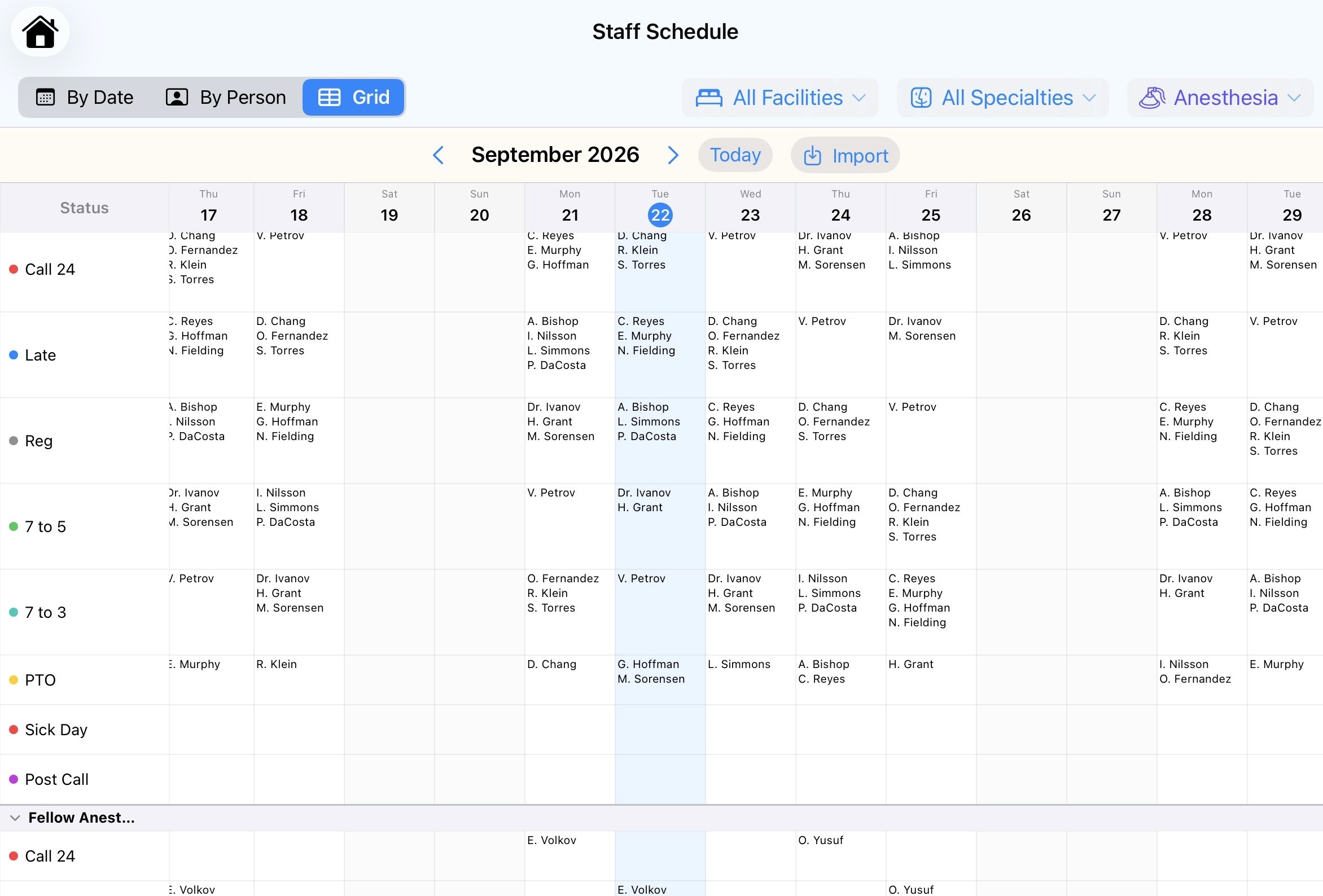

Staff schedules
Surgery, anesthesia, nursing…
Attendings, fellows, residents, PAs…
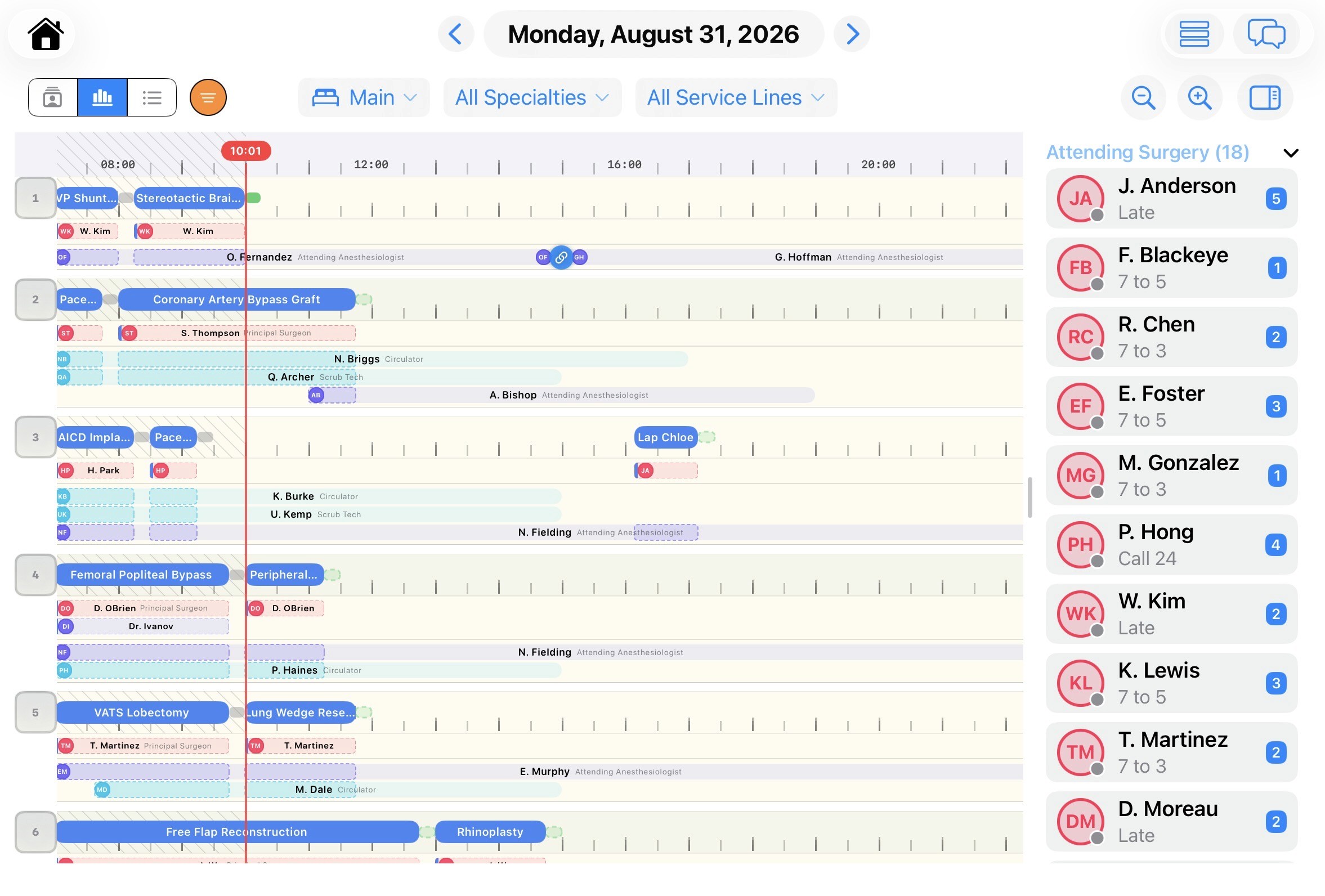
Unified OR schedule
The place to create and manage assignments
All the tools to make the OR run smoothly
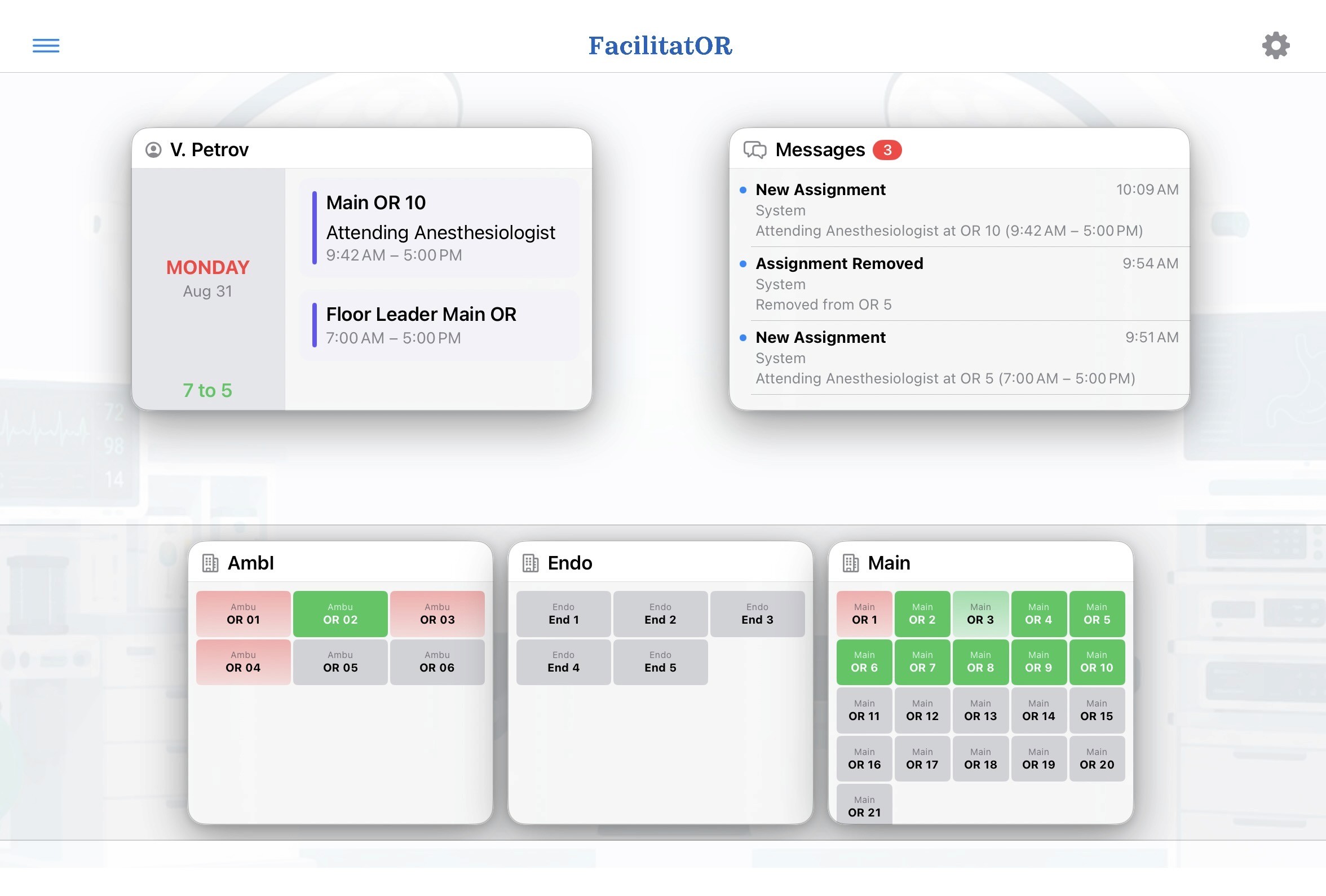
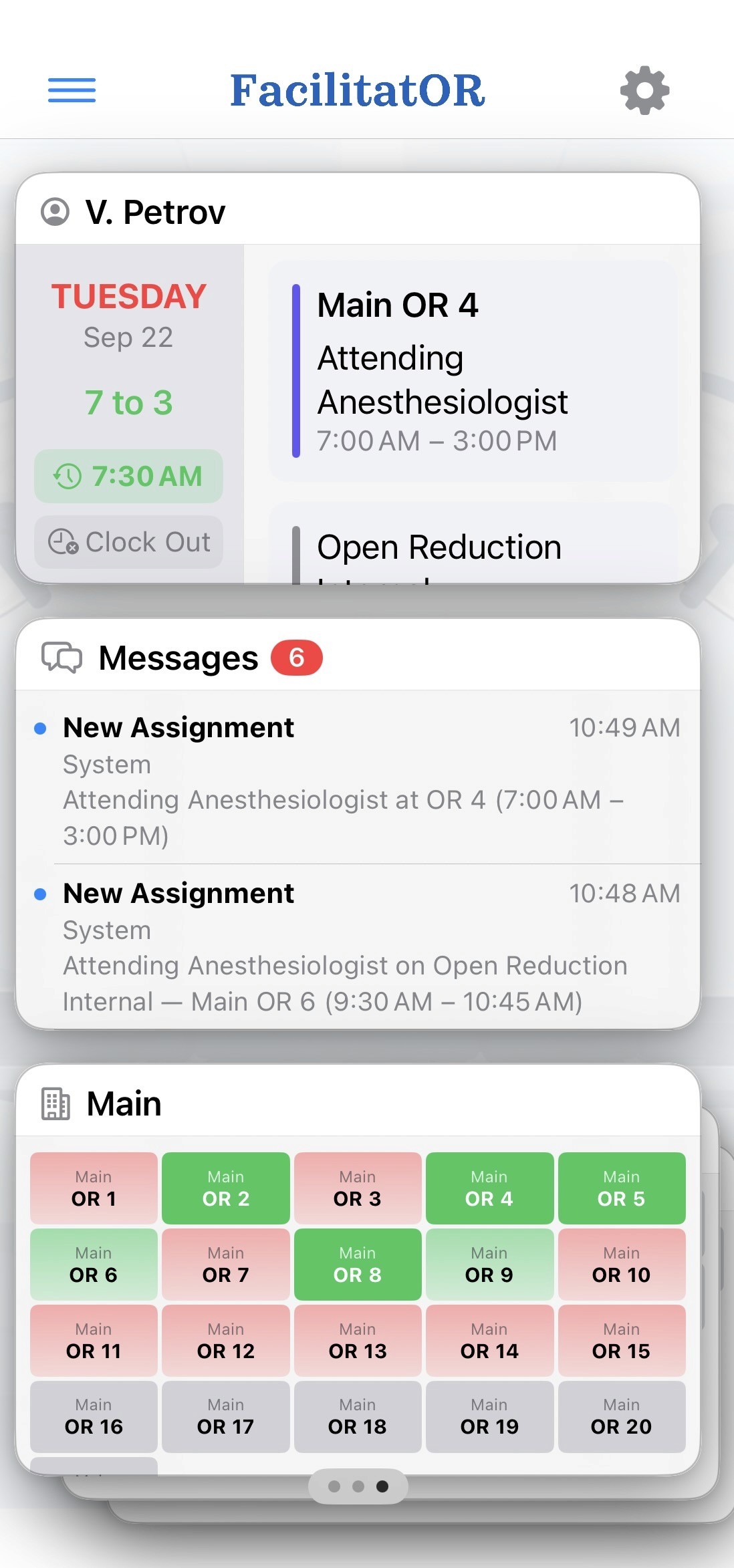
The daily schedule, in real time
Cases and staff assignments can be filtered by facility, service line and surgical specialty.
There are multiple ways to create and edit assignments: to locations, individual cases, leadership roles, floats, positions outside the OR and more.
The front desk and service leaders see everyone’s clock-in status, shift times, assignments and reliefs, all on one screen.


The roster view
Sorted by staff rather than by location, so a manager sees at a glance who is in a case and who is between cases and available.
It is also where breaks are requested and assigned.
Everyone is connected
There are multiple message shortcuts: to any individual working that day, to the front desk or service manager, to all the staff in a room or just those assigned to a particular case, and many more.
For example, a circulator can call for a bed, or an anesthesiologist can ask for a GlideScope, each with a single tap. The periop team is told when a case is finishing, and the circulator is notified the moment turnover is complete. Just a few examples.

Staff time management
TIME AND PAYROLL
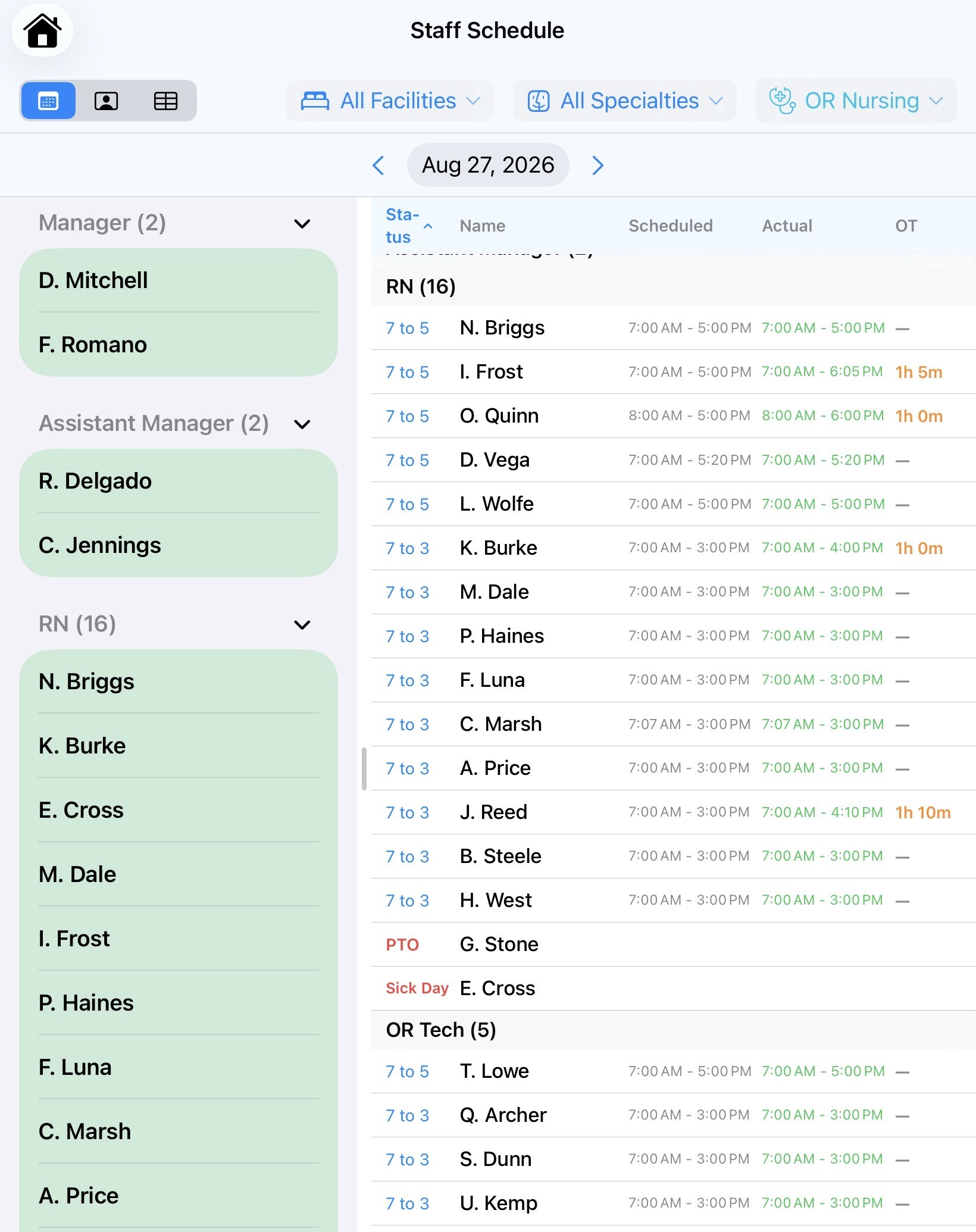
With clock-in and clock-out built in, the app can feed payroll, track overtime and let managers edit shifts.
MY SCHEDULE

Each user’s detailed daily assignments, plus a calendar of every past and future shift and assignment.
iPads at the desk, phones in the pocket
Managers and the front desk work on iPads, where the large screen makes moving cases and staff and editing assignments easy. Hospital-managed iPads may hold PHI locally. Clinical staff install the app on their own phone or tablet: native on iPhone, web-based on everything else. No PHI is ever stored on a personal device.
Stays in sync with your other systems
The surgical schedule can be imported from and reconciled with the EMR. Staff shift schedules for each user group can be imported from and reconciled with your existing scheduling apps. Facilitat-OR brings those separate schedules together into one picture of the day, and more.
Role-aware views
Roles and permissions make sure each user sees only what is relevant to them. Auxiliary services staff get a streamlined version of the app that includes communication features.
Other features worth mentioning
Staff can call in sick straight from the app, and the manager on duty gets a push notification listing the assignments that now need cover.
Staff can request non-clinical time or ask for a particular case, and managers review and act on those requests from a calendar set aside for that purpose.
Reports help identify case delays related to staffing and provide insight for future improvements.
The demo is delivered through Apple TestFlight. Open the link below and follow the instructions. There is no account to create and nothing to sign in to. It is the full app with preloaded test data, running entirely on your device. Try it on an iPad to review every feature from the front desk and manager perspectives, and on an iPhone for the compact staff view.
Open the TestFlight invite
1

Tap “Explore the Demo”
2

Pick a role from the list, and off you go
Does Facilitat-OR replace the EMR?
Who on the team can update the schedule?
Does every service in the OR have to use the app?
Is the data secure?
Write to us with any questions, or to try Facilitat-OR in your own clinical environment.
milmedsoft@gmail.com